Step-by-Step Installation Guide
Follow these 6 simple steps to get WaBaCRM running on your system
1
Download Extension
Download the WaBaCRM extension file to your computer
Download the WaBaCRM.zip file from above download Button
Extract the zip file to a permanent location on your computer
Important: Keep the folder in a fixed location (like Desktop/WaBaCRM) to avoid future errors
Tip: Create a dedicated folder for WaBaCRM and don't move it after installation

2
Enable Developer Mode
Activate Chrome's developer mode for extension installation
Open Google Chrome browser
Type
chrome://extensions in the address bar
Press Enter to open Extensions page
Toggle "Developer mode" ON (top-right corner)
Developer mode must be enabled to load unpacked extensions
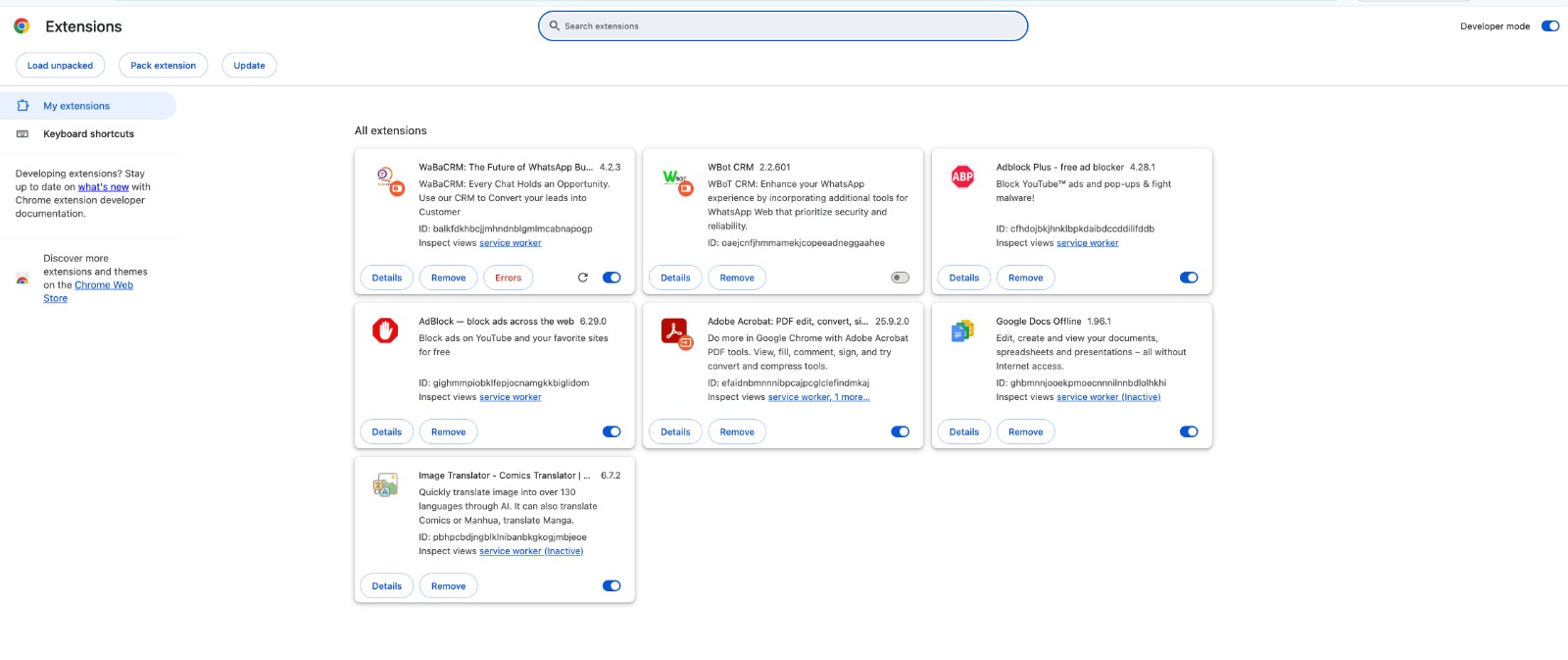
Toggle Developer mode in Chrome extensions
3
Load Extension
Install WaBaCRM extension in Chrome
Click the "Load unpacked" button
Select the WaBaCRM extension folder you downloaded in step 1
Click "Select Folder" to install
WaBaCRM icon should appear in your Chrome toolbar
Extension successfully loaded when you see WaBaCRM icon in toolbar
Click Load unpacked and select the extension folder
4
Open WhatsApp Web
Access WhatsApp Web to activate WaBaCRM
Navigate to web.whatsapp.com
Scan the QR code with your phone's WhatsApp
WaBaCRM will automatically activate in your WhatsApp Web
Look for the WaBaCRM interface overlay
Make sure your phone has active internet connection for QR scanning

Access web.whatsapp.com and scan QR code
5
Activate Your Extension
Login with your license credentials
Click on WaBaCRM icon in WhatsApp Web
Enter your License email ID and password
Click "Login" to activate all premium features
Your CRM full features are now enabled
Note: You can use License login and password in only 1 system. Logging into another system will automatically log out the first system.
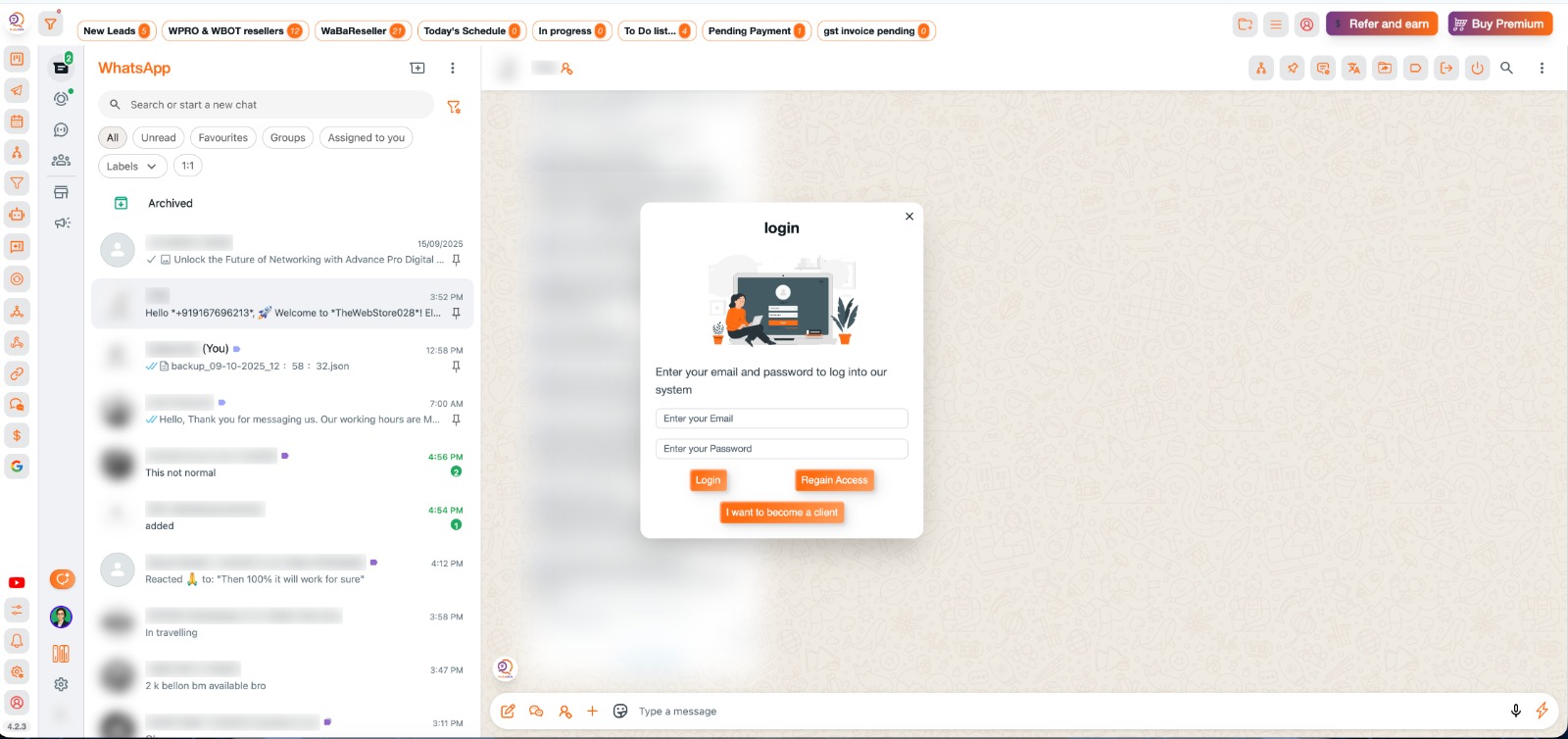
Enter your license credentials to activate
6
Start Automating
Configure and use all CRM features
Set up your Profile
Create message templates and quick replies
Configure automations and workflows
The CRM interface will overlay on WhatsApp Web
Start managing leads and campaigns efficiently
You're all set! Start automating your WhatsApp business communication
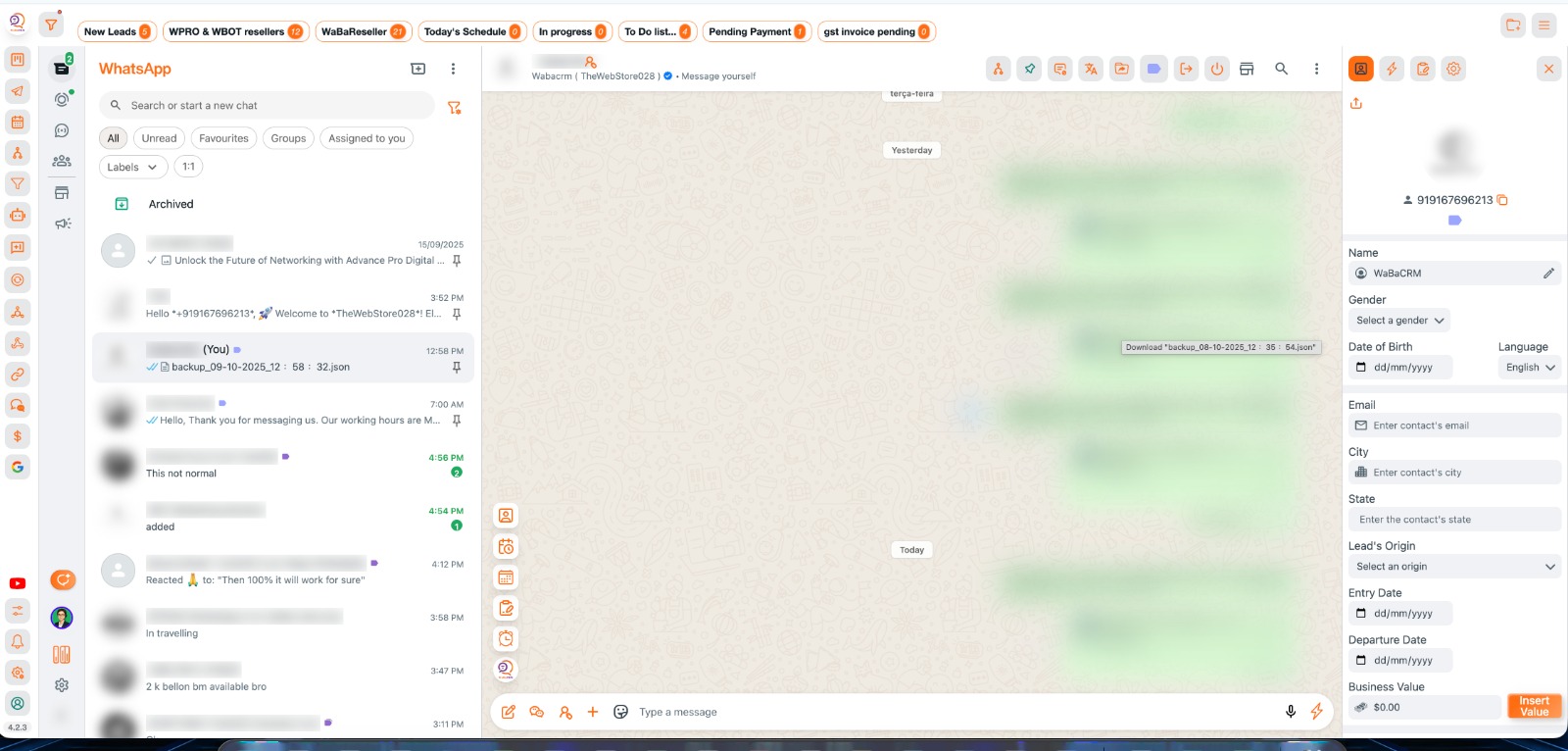
Configure automations and start using CRM features